E-commerce Payment Solution
Everything you need to know about Shopify Payments - the built-in payment processor designed specifically for Shopify stores, offering seamless integration and competitive rates.
What is Shopify Payments?
Shopify Payments is the built-in payment processing solution for Shopify stores, allowing merchants to accept payments directly without requiring third-party payment gateways. Launched in 2013, Shopify Payments is powered by Stripe's technology but is fully integrated into the Shopify ecosystem, providing a seamless experience for merchants.

Unlike external payment gateways that require additional setup and often charge extra transaction fees, Shopify Payments is designed to work natively with Shopify stores. This integration eliminates the need for multiple accounts, reduces transaction fees, and provides a unified dashboard for managing both your store and payments in one place.
How Shopify Payments Works
Shopify Payments simplifies payment processing by integrating directly with your Shopify store. When a customer makes a purchase, the payment is processed through Shopify Payments, and the funds are deposited into your bank account after a standard settlement period.
Setting Up Shopify Payments
Getting started with Shopify Payments is straightforward:
- Create a Shopify store or access your existing store admin
- Navigate to Settings → Payments → Shopify Payments
- Provide your business information and banking details
- Complete the identity verification process
- Configure your payment settings and currencies
- Test transactions in development mode (if needed)
- Go live and start accepting real payments
Key Shopify Payments Statistics
- Available in 20+ countries with ongoing expansion
- Supports 130+ currencies for international sales
- Used by millions of Shopify merchants worldwide
- Processes billions of dollars in transaction volume annually
- Offers rates as low as 2.4% + 0¢ for in-person transactions
- Eliminates additional 0.5-2% transaction fees charged for external gateways
Shopify Payments Core Features
Shopify Payments offers a comprehensive suite of features tailored for e-commerce:
Seamless Integration
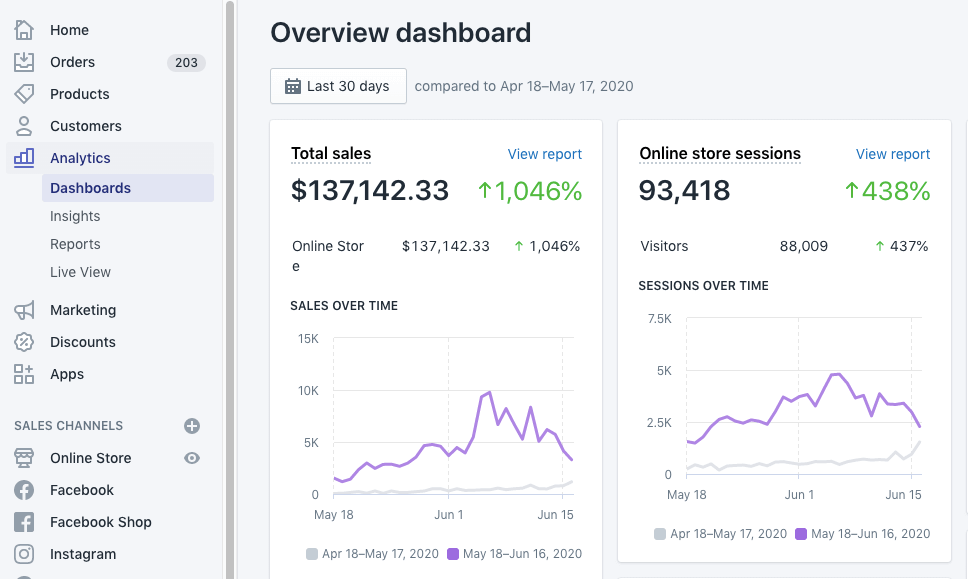
Fully integrated with your Shopify store, admin, and reports.
Unified Dashboard
Manage orders, payments, and finances from a single interface.
Multiple Payment Methods
Accept credit cards, digital wallets, and local payment methods.
Fraud Prevention
Built-in fraud analysis and tools to detect suspicious orders.
Chargeback Management
Tools to manage and respond to payment disputes.
Multi-Currency Support
Sell in multiple currencies with automatic conversion.
Mobile Management
Manage payments and view reports from the Shopify mobile app.
Automatic Payouts
Regular automatic deposits to your bank account.
Payment Methods Supported by Shopify Payments
Shopify Payments supports various payment methods depending on your country:
Credit & Debit Cards
Visa, Mastercard, American Express, Discover, JCB, and UnionPay.
Digital Wallets
Apple Pay, Google Pay, Shopify Pay (accelerated checkout).
Local Payment Methods
Country-specific options like iDEAL, Bancontact, and Sofort.
Alternative Payments
Buy now, pay later options through Shopify Installments.
Shopify Payments Fees and Pricing
Shopify Payments uses a tiered pricing structure based on your Shopify plan:
Online Credit Card Rates
| Shopify Plan | Basic | Shopify | Advanced | Plus |
|---|---|---|---|---|
| Monthly Price | $29/month | $79/month | $299/month | Custom pricing |
| Online Credit Card Rates | 2.9% + 30¢ | 2.6% + 30¢ | 2.4% + 30¢ | 2.15% + 30¢ |
| In-Person Rates | 2.7% + 0¢ | 2.5% + 0¢ | 2.4% + 0¢ | 2.15% + 0¢ |
| Additional Gateway Fees | 0% (saved) | 0% (saved) | 0% (saved) | 0% (saved) |
Additional Fees
| Service | Fee |
|---|---|
| Chargebacks | $15.00 per dispute |
| Currency Conversion | 1.5% markup on exchange rate |
| International Cards | Additional 1.5% fee |
| Manual Payment Capture | Free |
| Payout Fees | Free (varies by country) |
Pro Tip
If you're using an external payment gateway instead of Shopify Payments, Shopify charges additional transaction fees (0.5%-2% depending on your plan). By switching to Shopify Payments, you can eliminate these additional fees, often making it more cost-effective even if the card processing rates appear similar to other providers. Calculate your expected monthly processing volume to determine which Shopify plan offers the best overall value for your business.
Countries Where Shopify Payments Is Available
Shopify Payments is currently available in these countries:
North America
United States, Canada, Puerto Rico
Europe
UK, Ireland, Germany, France, Spain, Italy, Netherlands, Belgium, Austria, Sweden, Denmark, Finland
Asia-Pacific
Australia, New Zealand, Japan, Singapore, Hong Kong
Coming Soon
Shopify continues to expand to new countries regularly
Important Consideration
If your country isn't supported by Shopify Payments, you'll need to use a third-party payment gateway and will be subject to additional transaction fees from Shopify (0.5%-2% depending on your plan). Always check Shopify's official website for the most current list of supported countries.
Industries Served by Shopify Payments
Shopify Payments is ideal for virtually any e-commerce business:
Retail E-commerce
Businesses selling physical products online with shipping or local delivery.
Digital Products
Creators selling digital downloads, courses, software, or subscriptions.
Services
Service-based businesses that require booking with upfront payments.
Food & Beverage
Restaurants, coffee shops, and food producers with online ordering.
Beauty & Wellness
Skincare, cosmetics, and wellness product retailers.
Shopify Payments vs. Other Payment Gateways
How Shopify Payments compares to other popular options:
| Feature | Shopify Payments | PayPal | Stripe |
|---|---|---|---|
| Integration | Native (no extra setup) | External (requires setup) | External (requires setup) |
| Shopify Fees | No additional fees | 0.5%-2% additional fee | 0.5%-2% additional fee |
| Unified Dashboard | Yes | No | No |
| Fraud Protection | Built-in | Separate | Separate |
| Ease of Use | Excellent | Good | Good |
| Global Availability | Limited (20+ countries) | Excellent (200+ countries) | Good (40+ countries) |
Setting Up and Managing Shopify Payments
Shopify Payments offers several management features:
Payout Schedule
Funds are typically deposited into your bank account within 2-3 business days, with some countries offering next-day deposits.
Chargeback Protection
Shopify's fraud analysis helps prevent chargebacks, and you can respond to disputes directly from your admin.
Reporting
Comprehensive financial reports including sales, payments, and taxes in your Shopify admin.
Multi-Currency
Sell in multiple currencies with prices converted based on current exchange rates.
Security and Compliance Features
Shopify Payments employs robust security measures:
PCI Compliance
Level 1 PCI DSS certified - the highest security standard
Data Encryption
End-to-end encryption for all sensitive data
Fraud Prevention
Machine learning algorithms to detect suspicious activity
Regulatory Compliance
Compliant with financial regulations in all operating countries
Future of Shopify Payments
Shopify continues to enhance its payment offerings:
- Expansion to new countries and regions
- Additional local payment method support
- Enhanced fraud prevention capabilities
- Improved multi-currency and localization features
- More financing and capital options for merchants
- Better integration with physical retail through POS systems
Final Recommendation
Shopify Payments is the ideal payment solution for Shopify merchants in supported countries. Its seamless integration, elimination of additional transaction fees, and unified management make it superior to external payment gateways for most Shopify stores. While businesses in unsupported countries will need to use alternative gateways, those who can use Shopify Payments will benefit from a more streamlined operation and potentially lower overall costs. Before deciding, compare the effective processing rates (including any saved additional fees) with other payment providers to ensure you're getting the best value for your business.

0 Comments
Comment your problems without sing up